Set review policy
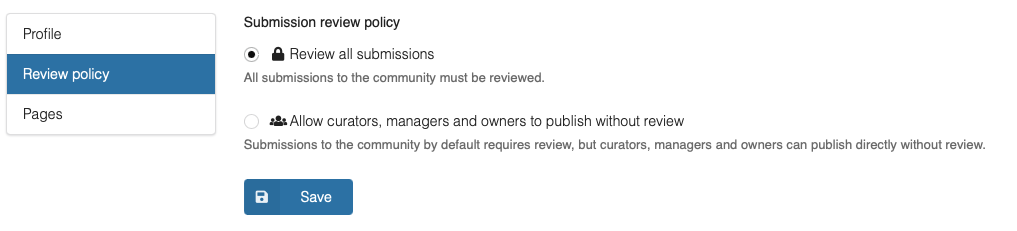
The review policy enables communities to set how submissions from community owners/managers/curators are handled. There following two options exists:
- Review all submissions: All submissions goes through a review by community curators.
- Allow curators to publish without review: Submissions by community owners, managers and curators automatically published in the community without a review.
Set review policy
1
Go to your community settings and click Review policy in the left menu.
2
On the Review policy you can modify the submission review policy for the community.
3
Click Save button to persist the changes.